Dovetic
A free parametric CAD tool that runs in your browser.
Best on a desktop or laptop with a mouse. On a phone you can look at models, but drawing needs a mouse.
Nothing to install. Your work is kept in your browser as you go, and you can download it as a file whenever you like. Works in current Chrome, Edge, Firefox and Safari. The editor is open source.
What it does
Dovetic is for designing parts: brackets, enclosures, mounts, adapters, jigs and the like, for 3D printing, laser cutting or machining.
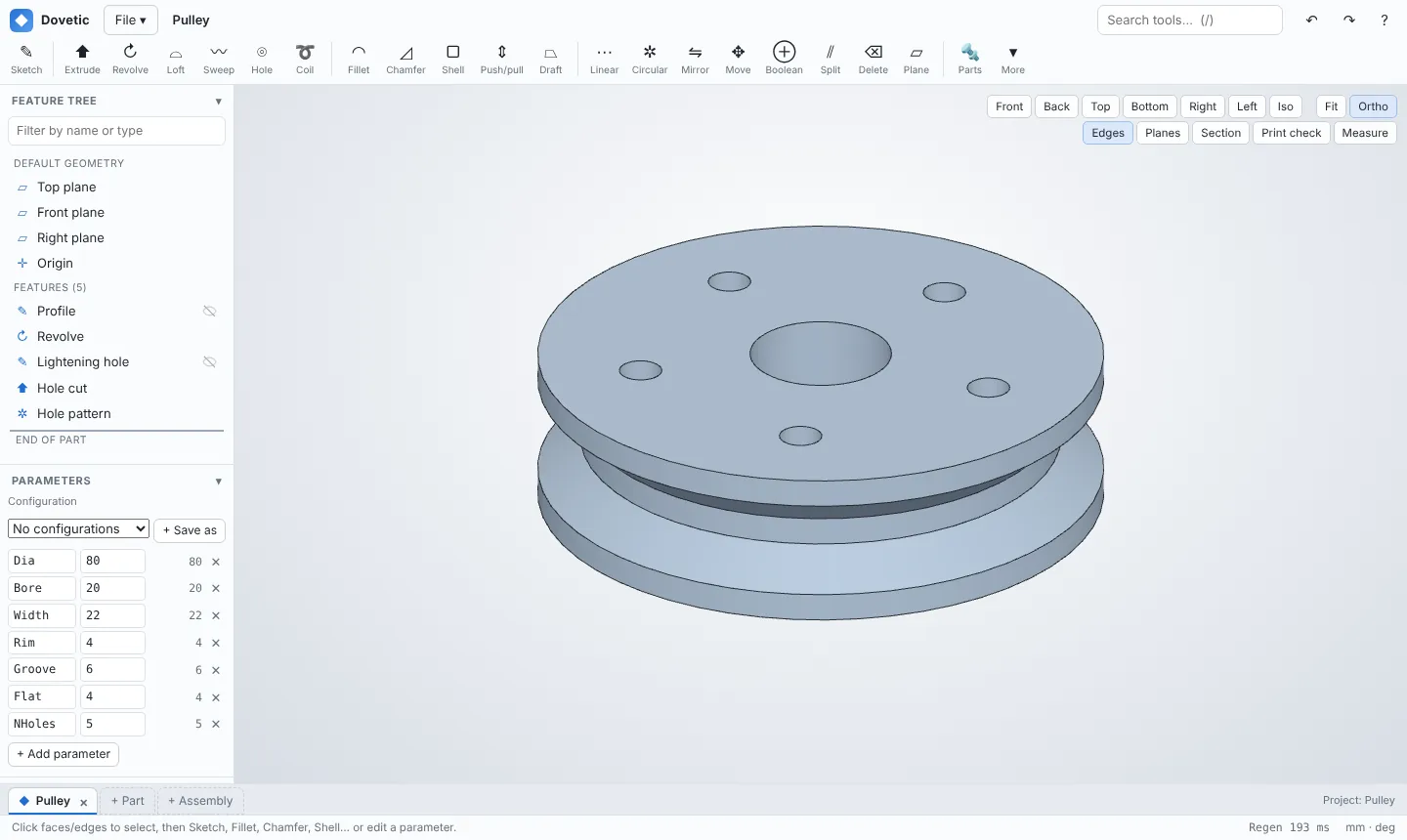
You draw a 2D sketch with exact dimensions, then turn it into a solid by extruding or revolving it. After that you add holes, fillets, chamfers, shells and patterns. Each step is kept in a list you can go back and edit, and any size can be a named value, so changing one number updates the whole part. Parts can be put together in an assembly with hinges, sliders and other joints.
It also makes real threads on shafts and in holes, gears, ribs and sheet-metal parts with flat patterns for laser cutting, and keeps size variants of a part as configurations.
You can add text to a sketch to emboss or engrave it, bring in DXF and SVG drawings, and check a part for 3D printing. It opens STEP, STL, OBJ, 3MF and PLY files — and finds the holes, fillets and chamfers in them so you can resize them — saves your project as a .dovetic file, exports STEP, STL, 3MF, OBJ and glTF, sketches as DXF or SVG for laser cutters, and 2D drawings as PDF.
What you need
- A desktop or laptop. A mouse is much easier than a trackpad.
- An up-to-date browser.
- About 6 MB of download the first time you open it. After that it starts straight away.
How to use it
- Open Dovetic. Start a new project, try one of the examples in the File menu, or open a .dovetic file you saved before.
- Make your part. New to CAD? Getting started takes you through your first part in a few minutes.
- Save it. Press Ctrl + S to download your project as a .dovetic file. Open that file next time to carry on where you left off. Export STEP or STL for printing or machining.
Dovetic keeps your latest work in this browser, so it’s there when you come back. Browsers can clear their storage, though, so download your project to keep it.
Problems and ideas
Something not working?
Tell us what happened. You can attach your project so the problem can be reproduced.
Missing a tool?
Tell us what you’re trying to make. Requests help decide what gets worked on.